How to Build a Budget Local LLM Rig Using an SXM2 V100 GPU and PCIe Adapter
Overview
Running large language models (LLMs) locally is an increasingly popular way to gain privacy, reduce latency, and avoid per-token cloud costs. The main bottleneck? Graphics cards powerful enough to handle models like Llama 2 13B or Mistral 7B often cost over a thousand dollars. But as Hardware Haven demonstrated in a clever video, there’s a temporary price loophole: repurposing an enterprise-grade Nvidia V100 GPU originally designed for SXM2 server sockets onto a standard PCIe motherboard. With the right adapter and a bit of DIY spirit, you can score a 16 GB V100 for roughly $200 total — far less than the $1,000+ PCIe version. This guide shows you exactly how to replicate that build, step by step, while the market hasn’t yet caught on.
Prerequisites
Before you start, gather the following components and tools:
- SXM2 Nvidia V100 16 GB GPU — Look for used or surplus units on eBay or server liquidation sales. Expect to pay around $100 if you’re patient.
- SXM2 to PCIe adapter board — Typically $80–120 on AliExpress or specialty hardware sites. Ensure it supports PCIe Gen3 x16 electrical (even if the slot is physically x16).
- Consumer motherboard with at least one PCIe x16 slot — Any modern board will work, but double-check that the adapter’s power delivery matches your PSU.
- Power supply unit (PSU) capable of delivering 250W+ on the 12V rail — The V100 draws up to 250W under load. A quality 650W unit is safe.
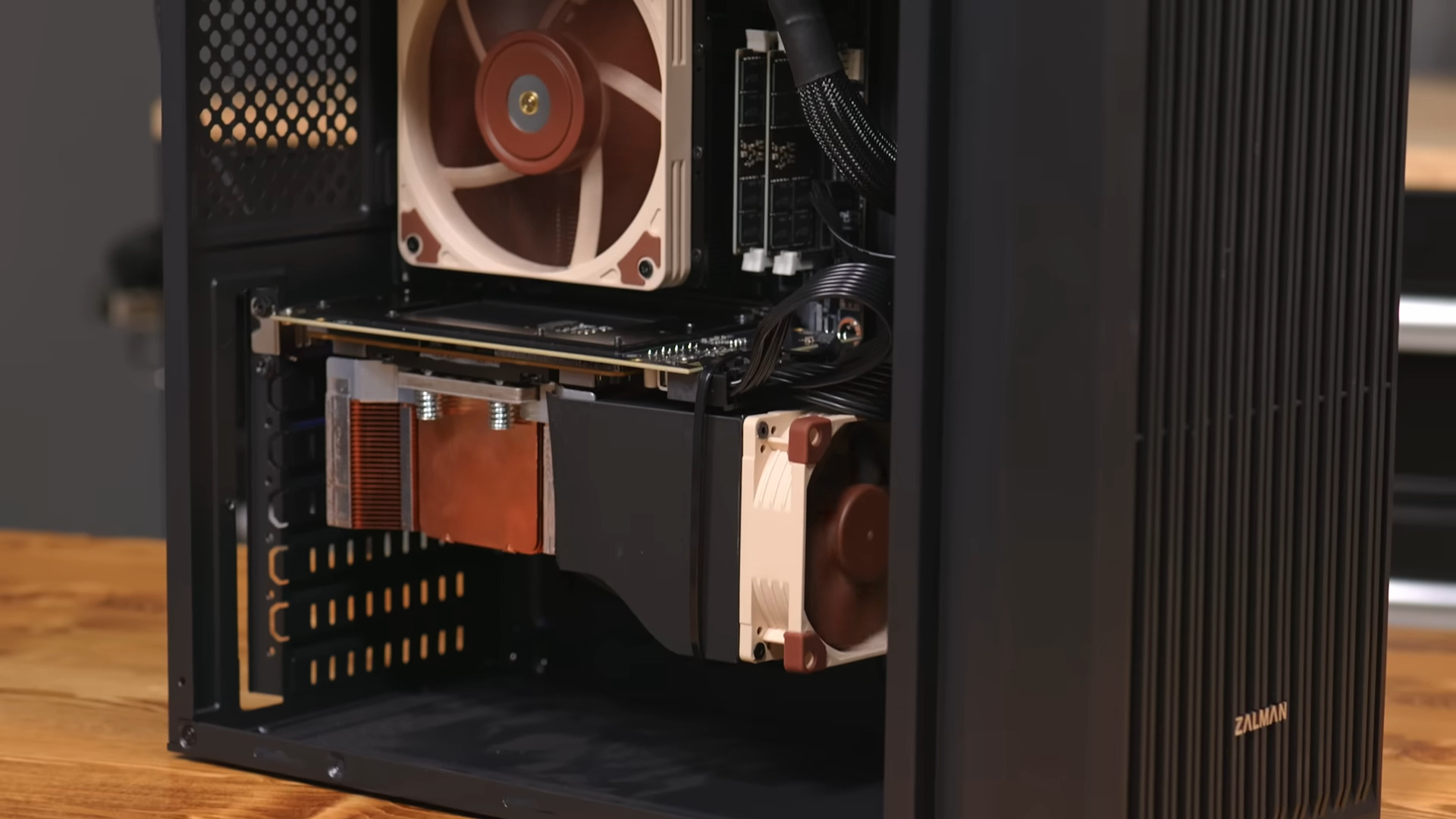
- 3D printer (or access to one) for a fan shroud — The SXM2 card lacks a standard cooling solution. Hardware Haven designed a custom shroud to mount a 120mm fan. Files are available on GitHub.
- 120mm fan — Any standard PC fan will work; a PWM model lets you control speed via motherboard headers.
- Thermal paste — To re‑apply between the GPU die and heatsink (if you reuse the original heatsink).
- Software stack — We’ll use Ollama or llama.cpp for model inference; both are free and easy to set up.
Step-by-Step Instructions
1. Acquire and Inspect the SXM2 V100
Search for “Nvidia V100 SXM2 16GB” on auction sites. Avoid “V100 PCIe” — those are the expensive ones you’re trying to bypass. When the card arrives, check for physical damage, bent pins on the SXM2 edge connector, and ensure the GPU die and HBM2 memory look clean.
2. Prepare the SXM2-to-PCIe Adapter
The adapter board converts the SXM2’s proprietary pinout to standard PCIe. It will come with its own power connectors (often two 8‑pin EPS or PCIe). Attach the adapter to the V100 by carefully aligning the edge connector and securing it with the provided screws. Do not force it — SXM2 connectors are keyed and only fit one way.
3. Install the Fan and Shroud
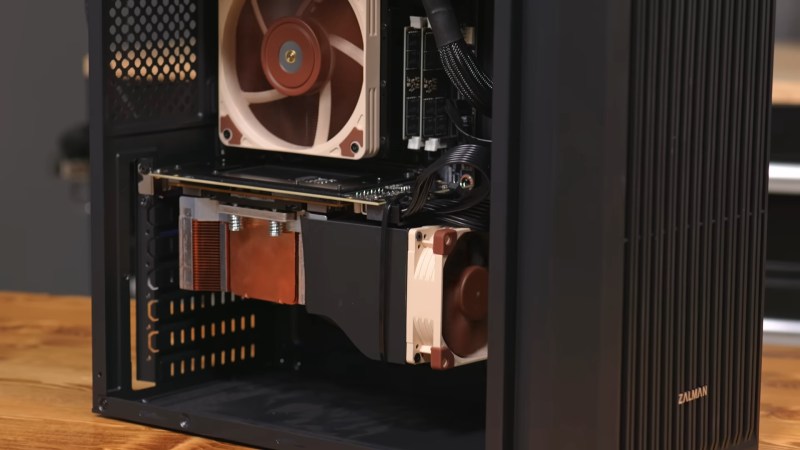
Because the V100’s original server cooler is missing, you need a way to dissipate 250W of heat. Download the 3D‑printable fan shroud from Hardware Haven’s GitHub repo. Print it in ABS or PETG for heat resistance. Attach the 120mm fan to the shroud, then mount the assembly over the GPU’s heatsink (if present) or directly onto the GPU die (if you have a bare heatsink). Apply a thin layer of thermal paste. Wire the fan to a motherboard header or PSU via a Molex adapter.
4. Install the GPU in Your PC
Power down your system, open the case, and insert the adapter board (with V100 attached) into a PCIe x16 slot. Secure it with the slot latch and case screws. Connect the power cables from the PSU to the adapter’s power inputs. Double‑check that your PSU can deliver sufficient current on the 12V rail — if unsure, use a wattmeter.
5. Boot and Verify Recognition
Turn on the PC. Enter BIOS/UEFI and ensure PCIe is set to Gen3 (the V100 is PCIe Gen3). Save and boot into your OS (Windows or Linux). Run nvidia-smi or lspci | grep -i nvidia to confirm the V100 is detected. You should see a device named “Tesla V100-SXM2-16GB.”
Common Issue: Driver Blacklisting
If the V100 isn’t seen, you may need to install the proprietary Nvidia driver (version 450 or later). On Ubuntu: sudo apt install nvidia-driver-535. Reboot.
6. Install LLM Software
For simplicity, use Ollama. Download the installer for your OS. Then pull a model like Llama 2 7B: ollama pull llama2. Alternatively, use llama.cpp with CUDA support: compile with make LLAMA_CUDA=1 and run with ./main -m model.gguf -n 128.
7. Run a Performance Test
Measure tokens per second (t/s) with the V100. For Llama 2 7B, expect 50–70 t/s (FP16). Compare to an RTX 3060 12 GB which usually delivers 40-50 t/s. The older V100 is faster for inference, but idle power is higher (~30W vs ~10W).
Common Mistakes to Avoid
- Buying a PCIe V100 by mistake — PCIe versions look similar and cost 10x more. Always check the photos for “SXM2” printed on the card edge.
- Insufficient cooling — The V100 can throttle or shut down without active airflow. Never run it without the fan shroud and a mounted 120mm fan.
- Underpowered PSU — Cheap PSUs may trip under the V100’s transient spikes. Use a quality unit with at least 650W.
- Forgetting to update drivers — Older Linux kernels might not load the nvidia driver correctly. Use the latest stable branch (535+).
- Skipping the Idle Power Warning — The V100 idles at ~25-30W. If you leave the PC on 24/7, this adds up — consider powering down the GPU when not in use.
Summary
Repurposing an SXM2 V100 with a PCIe adapter gives you a 16 GB HBM2 GPU capable of running today’s open‑source LLMs for under $200 — a fraction of the cost of a new RTX 4090 or even a used RTX 3090. The tradeoffs are higher idle power, a DIY cooling solution, and the need to act fast before supply tightens. Still, for budget‑conscious AI enthusiasts, this hack is a golden opportunity. Once you have the hardware, software like Ollama or llama.cpp makes setup painless. And remember, you don’t always need a massive GPU — a Raspberry Pi can run smaller distilled models if patience is your virtue.
Related Articles
- How Jensen Huang's Foundation Is Democratizing AI Access Through CoreWeave Donations
- MOREFINE G2 Graphics Dock: The RTX 5060 Ti External GPU at $1099 – Your Questions Answered
- GPD BOX Mini PC: Panther Lake Power and MCIO 8i External PCIe 5.0 Connectivity
- Demystifying NVIDIA's Ising Open Models for Quantum Computing
- Samsung Semiconductor Production Halts Ahead of Massive Strike – $2 Billion Daily Losses at Stake
- Crisis Averted: A Step-by-Step Guide to Navigating Last-Minute Labor Negotiations – The Samsung Chip Strike Case Study
- AMD Adrenalin Driver Bug: Zero RPM Fan Issue Triggers Unexpected GPU Heating
- MINISFORUM M2 and M2 Pro Mini PCs: What You Need to Know About Availability and Specs